 dminWiki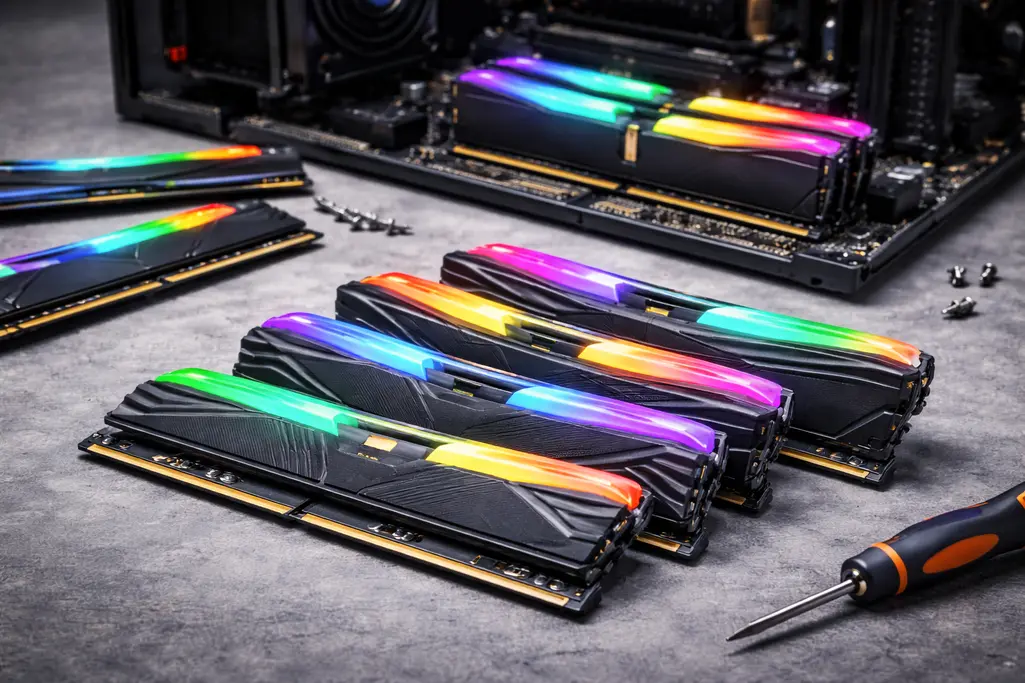
Random Access Memory (RAM) is a type of temporary data storage that your computer uses while it’s running. Think of it as your computer’s short-term memory: it holds the things your CPU needs right now, so they can be accessed quickly.
Unlike your hard drive or SSD, RAM has three important traits:
- Fast - RAM is hundreds of times quicker than even the fastest SSDs. This means the CPU doesn’t have to wait long to get the data it needs.
- Volatile - RAM can only hold data while the computer is powered on. When you restart or shut down, everything in RAM is wiped.
- Random access - Any piece of data in RAM can be reached directly, without going through other data first. This makes it ideal for multitasking and running complex programs smoothly.
Static and Dynamic RAM
Not all RAM is the same. The two most common types are static RAM (SRAM) and dynamic RAM (DRAM), each with different trade-offs.
SRAM
Static RAM uses transistor curcuits called flip flops to store data. They are:
- Fast - transistors can switch extremely quickly and hold their state as long as power is on.
- Large & expensive - each bit requires several transistors, making SRAM more complex and costly.
Because of this, we don’t fill computers with gigabytes of SRAM. Instead, CPUs use SRAM for cache memory. A processor typically has a few megabytes of SRAM cache right next to the CPU cores, where speed matters the most.
DRAM
Dynamic RAM stores data using capacitors. They are:
- Cheaper & denser - a single capacitor and transistor can store one bit, so DRAM packs much more memory into the same space.
- Slower - Capacitors take time to charge when storing data.
- destructive - Capacitors gradually lose their charge through leaking current. Furthermore, reading from a cell is destructive and DRAM needs constant refreshing (restoring the original charge) to keep the data alive.
Thanks to its efficiency and price, DRAM is used for your computer’s main system memory. The RAM sticks are available in gigabytes (and in some servers, even terabytes).
SDRAM
Old asynchronous DRAM received requests from the CPU and replied when it was ready. This caused unnecessary delays, because the CPU often had to wait for the memory.
Modern synchronous DRAM (SDRAM) solves this by synchronizing memory operations with the system clock on the motherboard. While SDRAM is still slower than the CPU (it doesn’t have a clock multiplier like the processor), its operations are now timed to match the CPU, allowing for more efficient data transfers and significantly better overall performance.
Form Factors
The most common form factor for memory is the Dual In-line Memory Module (DIMM). It has electrical contacts on both sides of the PCB, which allows a wider data bus and faster speeds. DIMMs are typically used in desktops and servers.
A smaller variation is the Small Outline DIMM (SODIMM), which is used in laptops, small form-factor PCs, and some mini-PCs due to its compact size.
Banks and Ranks
Memory is made up of memory cells, and each cell stores a single bit: either 0 or 1. To read data from a memory cell, we apply a voltage to it and detect the output.
Memory cells are organized in arrays (square grids). Each cell can be addressed by its row and column. For example, applying voltage to row 0 and column 0 selects the cell at (0,0) and outputs its value.
Reading or writing a single bit at a time would be very slow. To get a full byte, you would have to access 8 bits sequentially, which leads to an unnecessary time overhead. To avoid this, memory cell arrays are stacked into banks.
A bank is a group of arrays that can be accessed simultaneously, allowing multiple bits to be read at once. The exact number of arrays per bank depends on the memory architecture. You still address a specific row and column, but because multiple arrays are read simultaneously within a bank, you get multiple bits at once. Additionally, since each chip has multiple banks, you also specify the bank as a third dimension. For example, byte number 0 could be addressed as (row 0, column 0, bank 0).
To handle even larger data widths efficiently, memory modules often contain multiple chips. A set of chips working together is called a rank. One rank provides a complete data width for the memory system.
For example, DDR3 and DDR4 provide 64 bits per cycle. To achieve this, you could use 4 chips with banks containing 16 arrays each (x16), or alternatively 8 chips with banks of 8 arrays each (x8).
Double-Sided Sticks
Some memory modules have chips on both sides of the PCB — these are called double-sided DIMMs instead of single-sided DIMMs.
Each side typically forms one rank, so a double-sided stick usually has two ranks, though server modules can have more.
Using multiple ranks allows a module to provide the full 64-bit data width while using smaller chips. For example, instead of putting 8 × 8 Gb chips on one side (single rank), a manufacturer could use 8 × 4 Gb chips on each side, achieving the same total capacity split across two ranks.
Multiple ranks can also improve performance, because the memory controller can interleave access between ranks, hiding some of the memory latency.
DDR
Traditional SDRAM transfers data once per clock cycle, usually on the rising edge of the clock signal (when the signal goes from 0 to 1).
Double Data Rate SDRAM (DDR) improves on this by transferring data on both the rising and the falling edge of the clock.
That means:
- instead of 1 transfer per cycle, you get 2 transfers per cycle
- the clock frequency stays the same, but the effective data rate doubles
This trick gave DDR a massive boost in bandwidth without needing to increase the clock speed, which would have made design and stability much harder.
Rating
DDR RAM has two types of speed ratings that describe its performance and the maximum speed they are certified for:
- DDR Rating shows the maximum number of million data transfers per second.
- Because DDR transfers data twice per clock cycle, a memory stick with a 100 MHz (=100 million Hz) clock can perform 200 million transfers per second, and is labeled DDR-200.
- PC Rating shows the maximum data throughput in million bytes per second.
- RAM transfers 8 bytes at a time (64 bits), so the PC rating multiplies the DDR rating by 8.
- For our 100 MHz example: DDR-200 × 8 bytes → PC-1600.
| Clock Speed | DDR Rating | PC Rating |
|---|---|---|
| 100 MHz | DDR-200 | PC-1600 |
| 133 MHz | DDR-266 | PC-2128 |
| 166 MHz | DDR-322 | PC-2656 |
| 200 MHz | DDR-400 | PC-3200 |
| 217 MHz | DDR-434 | PC-3472 |
| 233 MHz | DDR-466 | PC-3728 |
| 250 MHz | DDR-500 | PC-4000 |
| 275 MHz | DDR-550 | PC-4400 |
| 300 MHz | DDR-600 | PC-4800 |
DDR2 and DDR3
DDR2 and DDR3 introduced a deeper prefetch buffer. The CPU’s memory controller can still only request one address per cycle, but instead of fetching just one word of 64bit, the memory chip fetches multiple 64-bit words into an internal buffer at once.
- DDR2 uses an 4n prefetch: the chip fetches 4 words and sends them out in 4 transfers per cpu cycle, or 2 transfers per edge.
- DDR3 uses an 8n prefetch: the chip fetches 8 words and sends them out in 8 transfers per cpu cycle, or 4 transfers per edge.
- Both standards also reduced the operating voltage (DDR2 = 1.8 V, DDR3 = 1.5 V) to improve power efficiency and stability at higher speeds.
Ratings are provided in DDR2 and PC2 for DDR2, or DDR3 and PC3 for DDR3.
| Clock Speed | DDR2 Rating | PC2 Rating | DDR3 Rating | PC3 Rating |
|---|---|---|---|---|
| 100 MHz | DDR2-400 | PC2-3200 | DDR3-800 | PC3-6400 |
| 133 MHz | DDR2-532 | PC2-4256 | DDR3-1064 | PC3-8512 |
| 166 MHz | DDR2-664 | PC2-5312 | DDR3-1328 | PC3-10624 |
| 200 MHz | DDR2-800 | PC2-6400 | DDR3-1600 | PC3-12800 |
| 217 MHz | DDR2-868 | PC2-6944 | DDR3-1736 | PC3-13888 |
| 233 MHz | DDR2-932 | PC2-7456 | DDR3-1864 | PC3-14912 |
| 250 MHz | DDR2-1000 | PC2-8000 | DDR3-2000 | PC3-16000 |
| 275 MHz | DDR2-1100 | PC2-8800 | DDR3-2200 | PC3-17600 |
| 300 MHz | DDR2-1200 | PC2-9600 | DDR3-2400 | PC3-19200 |
DDR4
DDR4 breaks the trend of simply increasing prefetching and maintains 8n. Instead, it introduces bank groups.
In previous DDR generations, only one bank per chip could be accessed at a time. DDR4 splits the banks on each chip into multiple groups and replicates the access logic for each group. This allows multiple banks to be accessed simultaneously, improving throughput and supporting higher memory speeds.
| Clock Speed | DDR4 Rating | PC4 Rating |
|---|---|---|
| 200 MHz | DDR4-1600 | PC4-12800 |
| 266 MHz | DDR4-2128 | PC4-17024 |
| 300 MHz | DDR4-2400 | PC4-19200 |
| 400 MHz | DDR4-3200 | PC4-25600 |
Also, when vendors mark RAM as multiple thousand MHz, they probably mean MT/s or MB/s.
DDR5
DDR5 keeps the 8n prefetch like DDR3 and DDR4, but introduces several major improvements:
- Higher module capacity - DDR5 chips pack more bits per chip, allowing DIMMs up to 128 GB+ in servers.
- More bank groups - DDR5 increases the number of banks and bank groups, allowing multiple banks to be accessed simultaneously.
- Higher speeds - starting at 4800 MT/s it can exceed 8400 MT/s.
- Lower voltage & on-DIMM PMIC - Voltage drops to 1.1 V for efficiency, with an on-DIMM power management IC for better regulation.
- On-die ECC - Helps correct internal errors within the chip (not full ECC for system memory).
ECC Memory
In long-running systems, cosmic rays or electrical noise can flip bits in memory (switching a 0 -> 1 or 1 -> 0), causing data corruption.
Parity RAM is a type of RAM that stores an extra bit per byte. The parity bit is either 1 or 0 to make the entire number of ones or zeros odd (odd parity) or even (even parity). If the parity is broken (e.g. odd parity expected but even number of 1 found) there must be an error. Parity RAM can detect errors, but not correct them.
ECC (Error-Correcting Code) memory is a type of RAM designed to detect and automatically correct these errors, making it far more reliable than standard RAM. ECC memory is commonly used in servers and other critical systems where stability is essential.
ECC memory includes an extra chip (or extra bits per byte) that stores error-correcting codes for the data. When the system reads data:
- The ECC logic checks the data against the stored codes.
- If a single-bit error is detected, ECC corrects it automatically.
- If multiple-bit errors occur, it can at least detect the error and alert the system.
This makes ECC memory much more robust than normal RAM, which cannot detect or correct errors.
ECC memory is slightly slower than non-ECC RAM due to the extra processing for error checking. It is also more expensive and requires a motherboard that supports ECC.